A dark/light portal material inside Unreal 5.
Ever wanted to make a room look dark when looking at it from the outside? But make the outside look completely normal when inside the room? And all this without Lumen? Let me show you my solution.
A dark/light portal material inside Unreal 5.
Ever wanted to make a room look dark when looking at it from the outside? But make the outside look completely normal when inside the room? And all this without Lumen? Let me show you my solution.
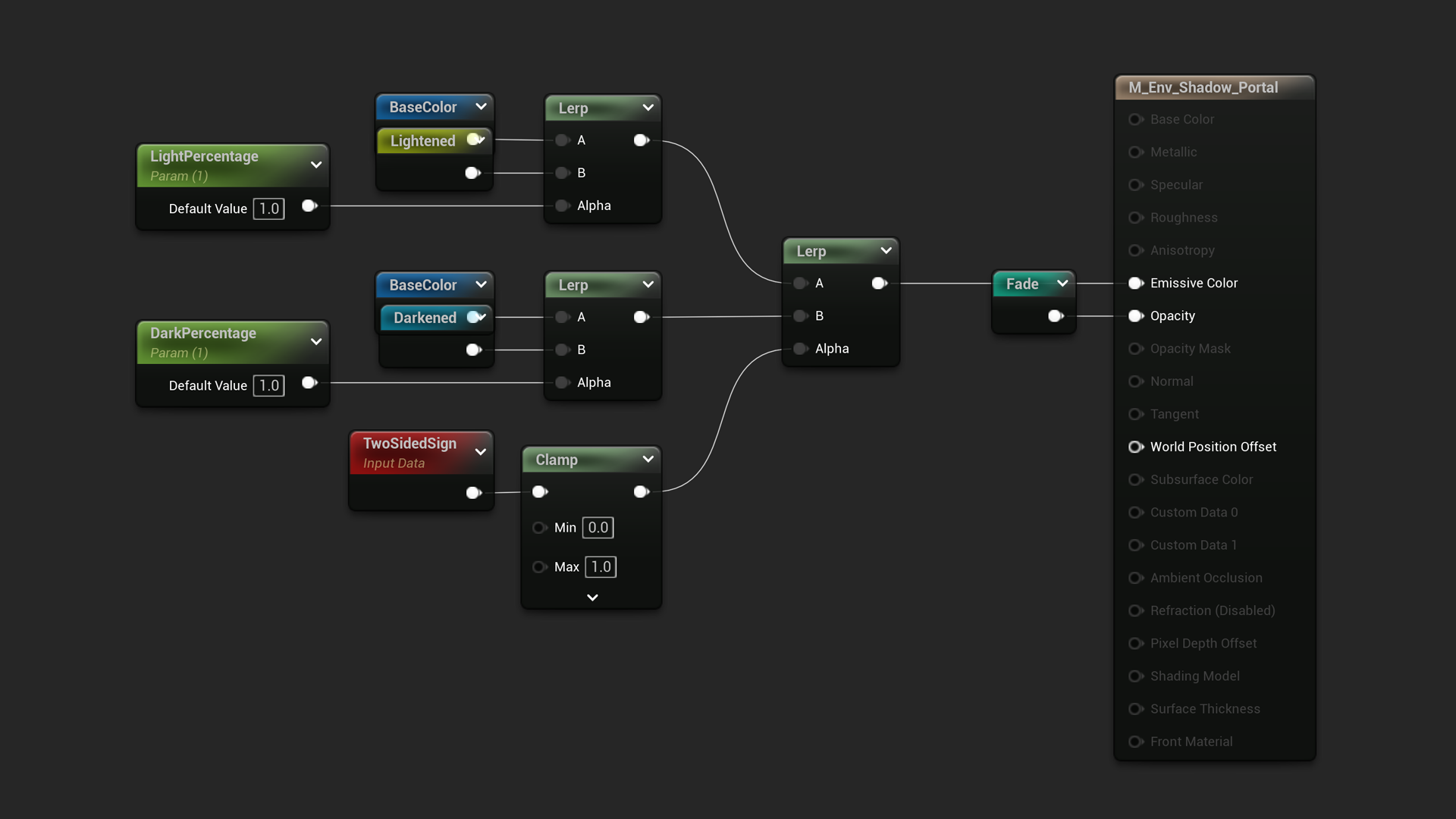
1. Here's a whole overview of the material. It is a translucent material that uses a Scene Color node to get the base emissive color.
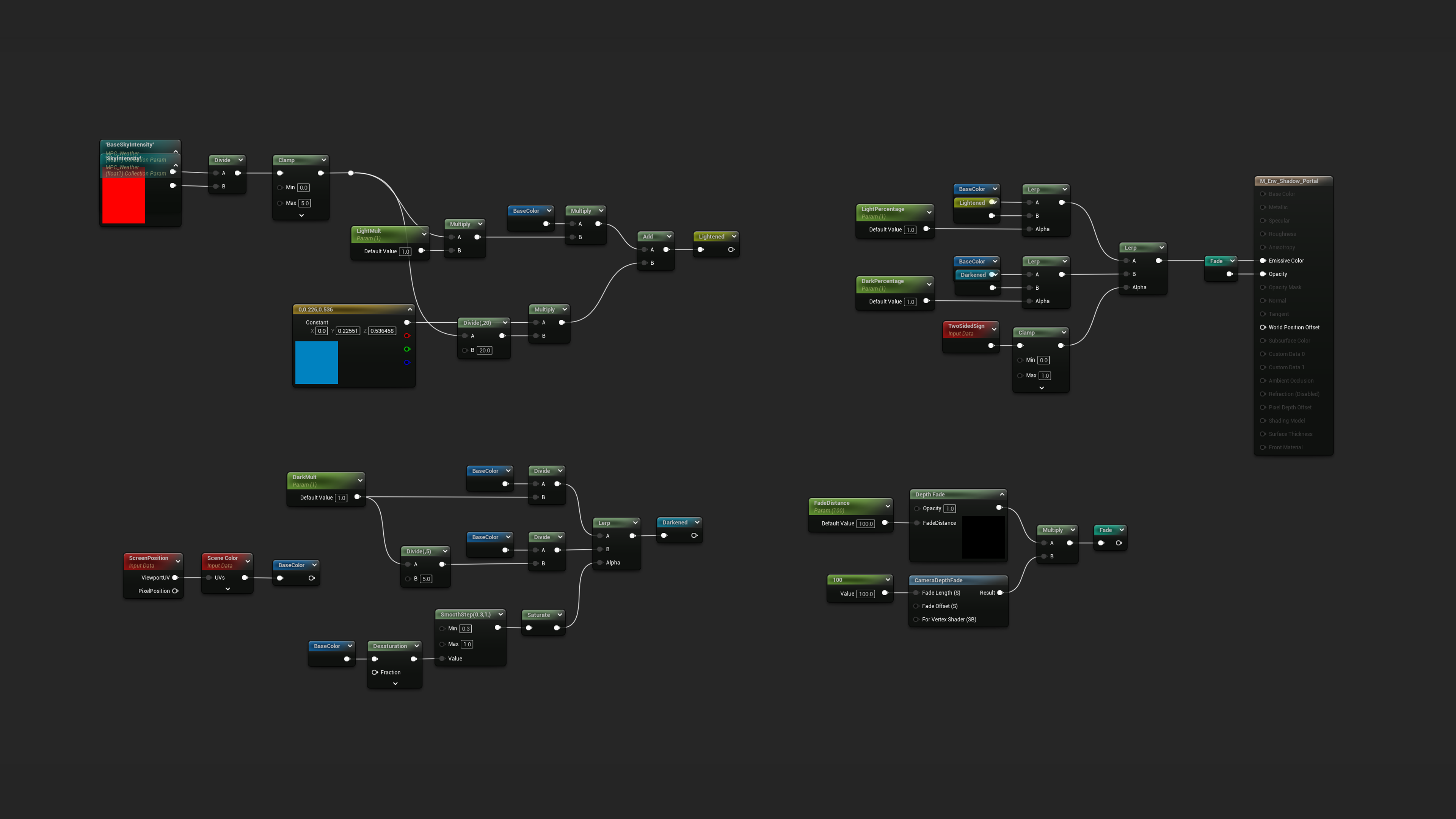
2. The Scene Color is darkened by using a divide. Then I use SmoothStep to separate the highlights (so lights are still visible behind the material) and use them as a Lerp Alpha value.
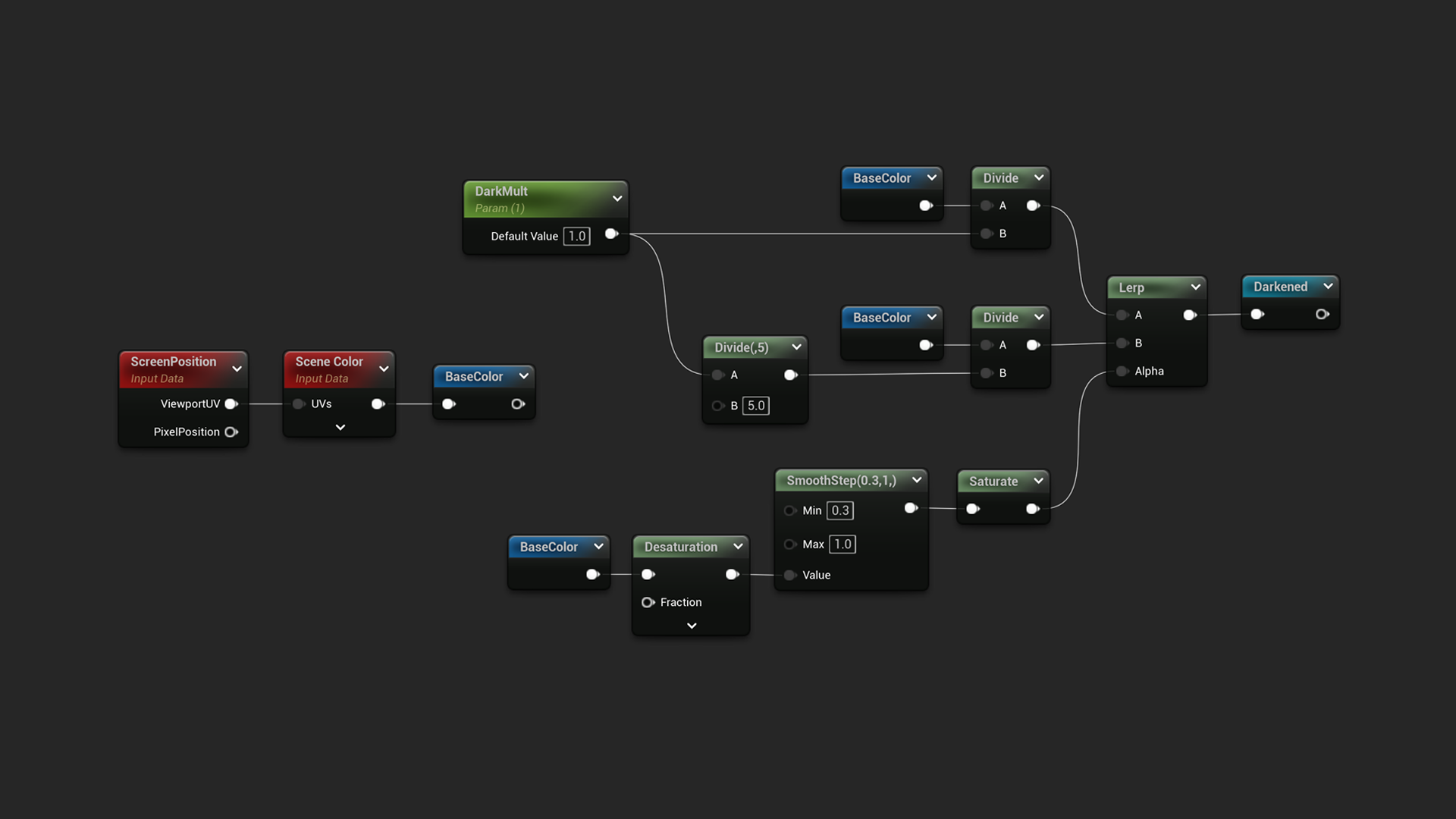
3. I use Depth Fade multiplied with Camera Depth Fade to blend the portal with the surroundings and also fade it out completely when the camera gets close to the portal. The named output Fade is then used in the Opacity of the material.
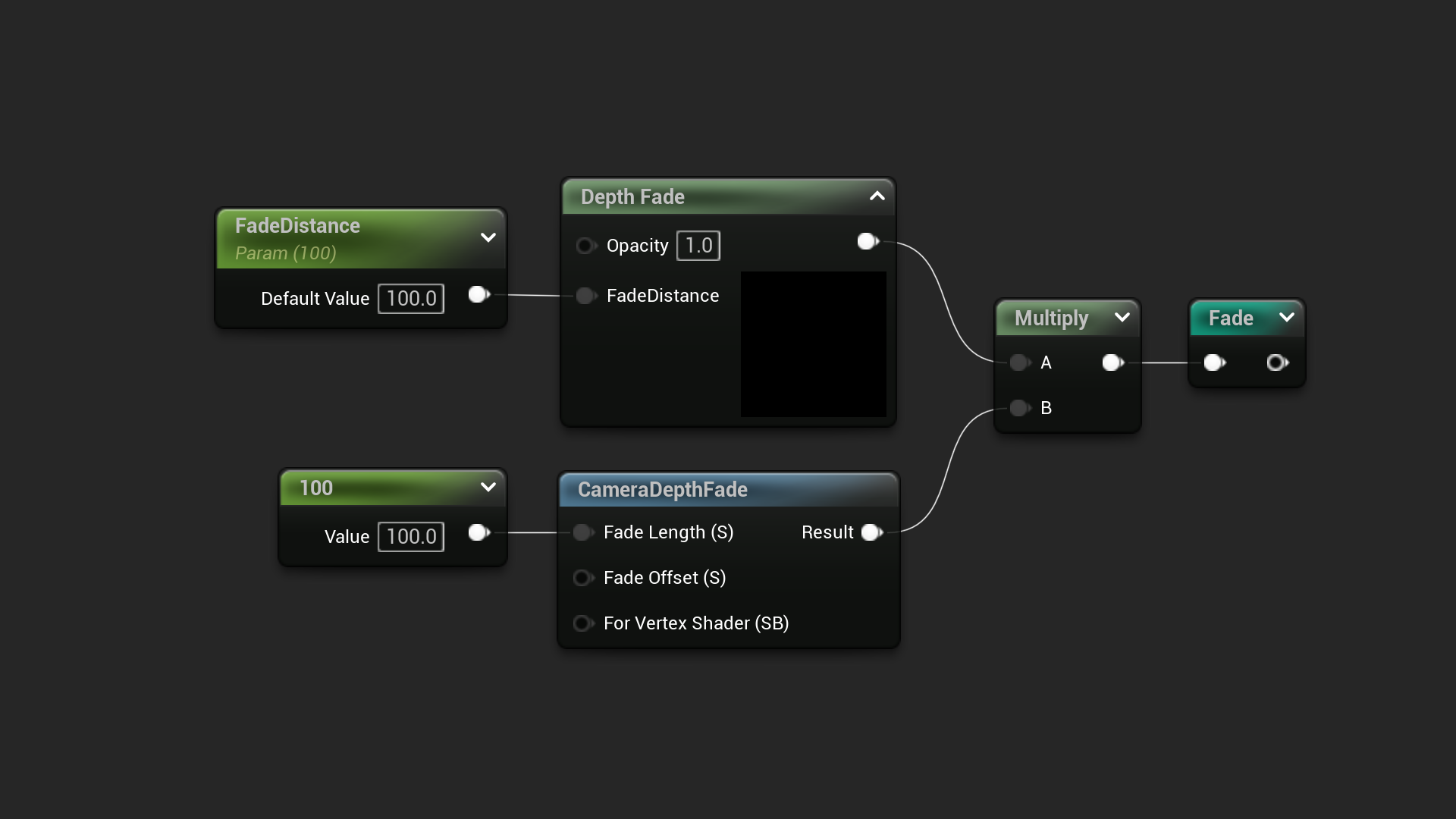
4. I use SkyIntensity and BaseSkyIntensity from a material parameter collection (together with an optional post-process volume inside the room) to determine how bright is the outside world. Then I multiply that value with a bit of blue color and a parameter to control the brightness of the portal's inner side.
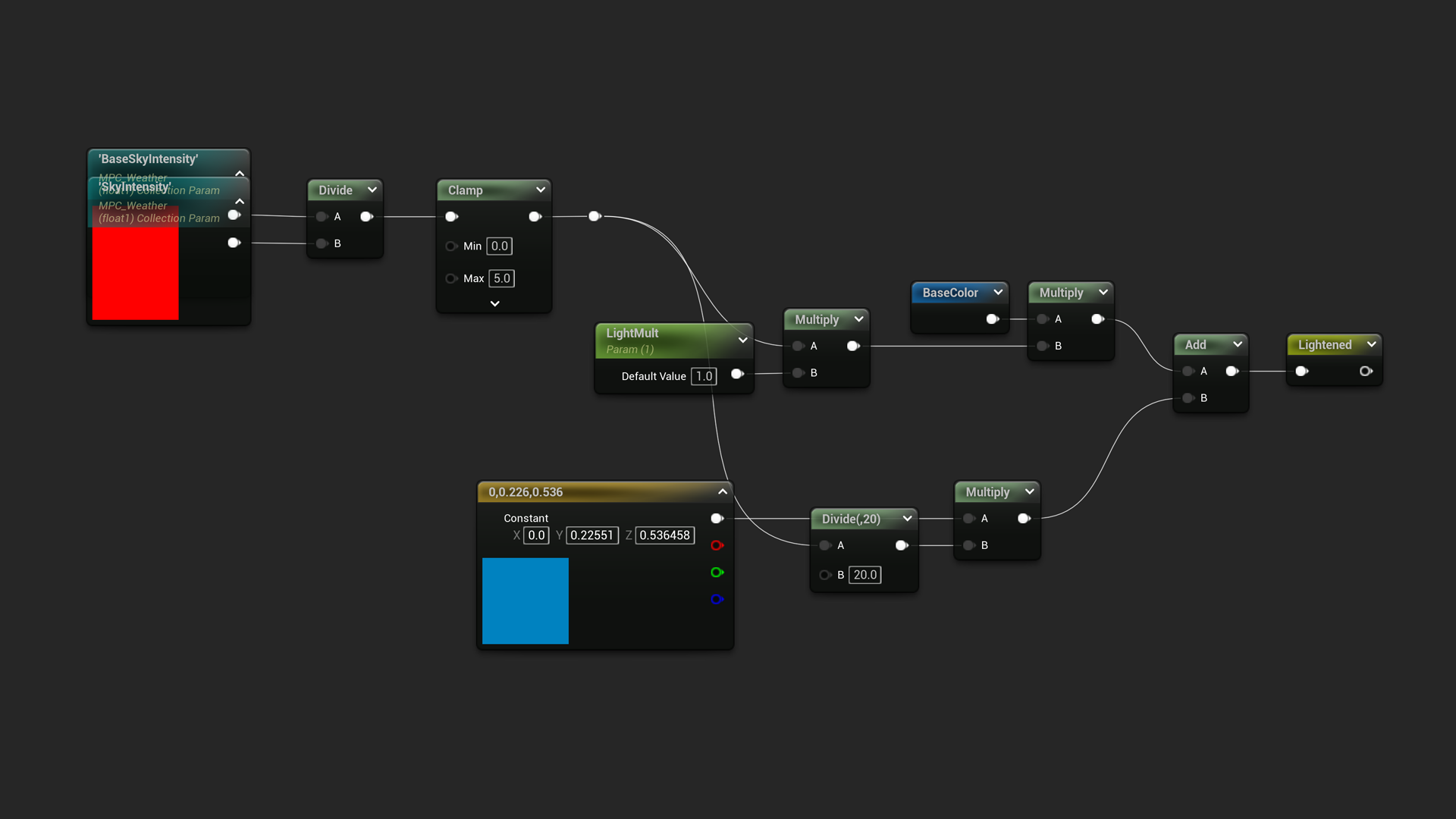
5. Then everything is combined into a two-sided material using the TwoSidedSign as the Alpha for a Lerp between the darkened and lightened base scene color.
And that's it! I am combining all this with a post-process volume and a trigger volume to make the skylight darker when the player enters a room through the portal and make it normal when he exits it.